Choicer Voicer Best Mic Settings
Match distance to gain, then test and listen. Too close or max gain clips; too far needs more gain. Change input mid-session and retest after a swap.
Current for Free Browser Edition v0.6.3.
The best mic settings in the live browser game pair distance with gain. Record a short test, listen back, then turn on Live Mic if you want to hear yourself while you speak.
Test the microphone first
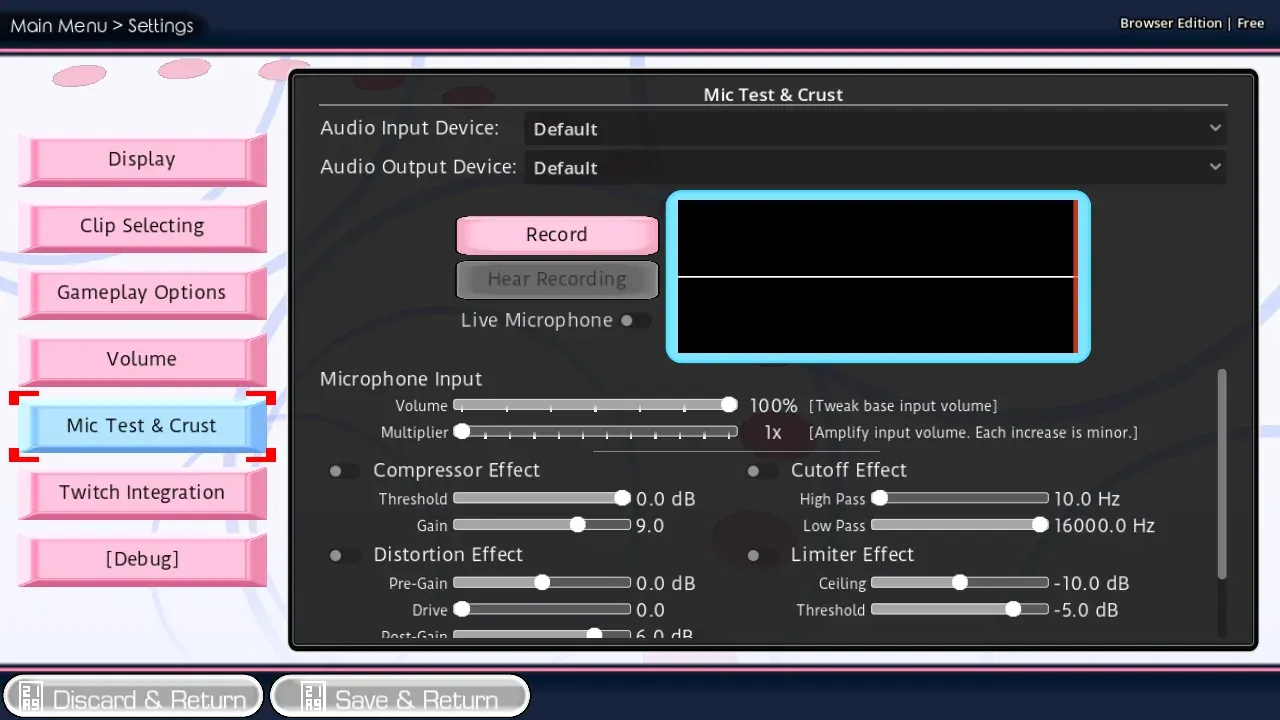
- Open Settings from the game menu.
- Choose the input you will actually use.
- Record a short line.
- Play the test back.
- Speak again and watch the waveform.
If the waveform never moves, stop here and use Microphone Help. A silent test will not improve after you pick Standard or Dub. After you swap microphones, run this test again before a long session.
Distance and gain together
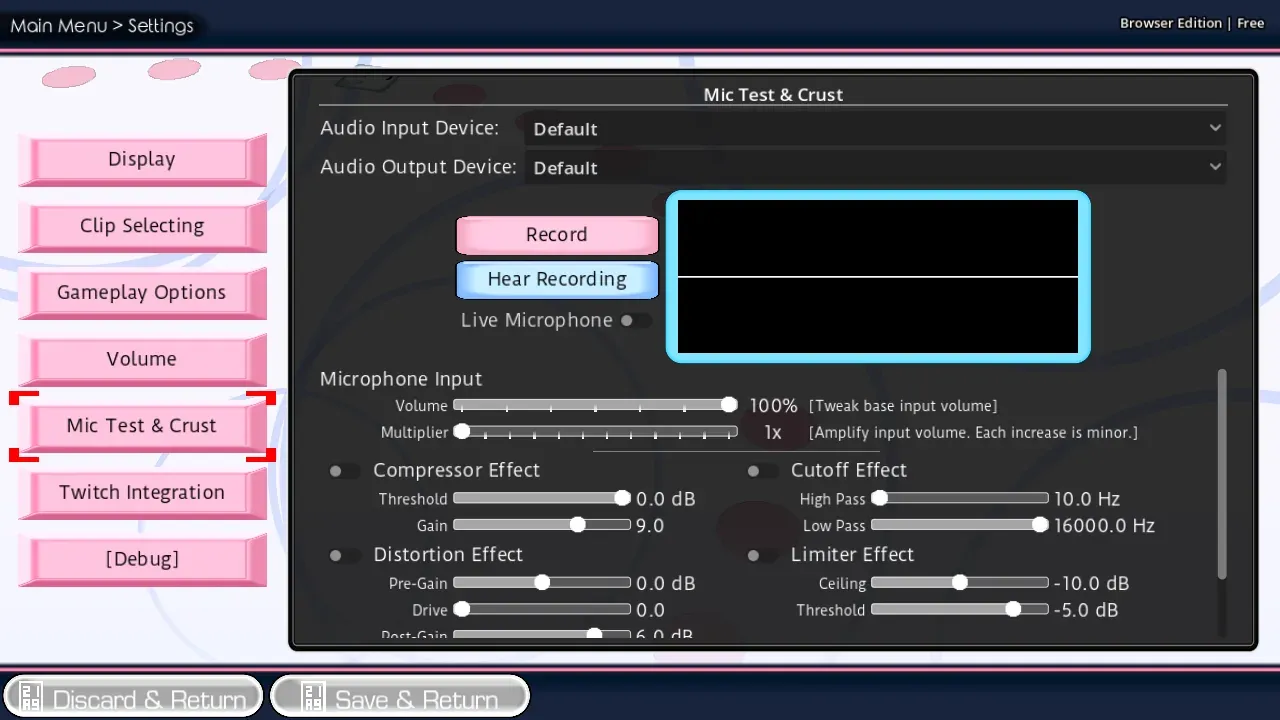
Live Mic lets you hear the input while you record. It does not replace Mira, and it does not save a second public file.
Want a louder take? Move a little closer or raise gain until the waveform moves. Want a quieter take? Move back or lower gain. Sitting too close or maxing gain clips the take. Sitting too far makes a weak input; add gain only until the test is clear.
If the take sounds crushed or overly processed, pull the effect back and listen again. Background noise is recorded too, so headphones help more than raising gain alone.
You can change the input or gain in the middle of a session, then return to the same prompt.
Leave Settings when the test is clean
| What you hear | What to change | Why |
|---|---|---|
| The test is silent | Confirm the browser input, then test again | Settings cannot invent a microphone the browser has not allowed |
| The take is louder than you want, or clipped | Lower gain and move the microphone back | Too close or max gain overloads the input |
| The take is quieter than you want | Move closer or raise gain until the waveform moves | Distance and gain work as one setting |
| The take sounds crushed | Pull the effect back, then listen again | Heavy processing is harder to replay and score |
| The room is in the take | Use headphones and keep other voices quiet | The game records whatever the selected input hears |
| You cannot hear yourself live | Turn on Live Mic after one successful test | Live Mic is useful only after the input is already working |
When the test take sounds like your voice, leave Settings and start with How to Play or Standard Mode.
FAQ
If I want a louder take, do I only raise gain?
No. Raise gain or move closer, then listen. Extra gain makes noise louder too.
After I swap microphones, do I test again?
Yes. A new input needs a new test before a long session.
Can I change gain during a session?
Yes. Open Settings, change the input or gain, then return to the same prompt.
The complete game is free to play on The Choicer Voicer homepage . There is no installer.