Free Browser Game
The Choicer Voicer Free Online
Record each line, try new voices, and keep your favorite take. Play the complete game on this page. There is no APK and no installer — a phone or a computer is enough.

Before you play
Can this game hear you?
A mic the game cannot pick up is the most common reason a session fails. Nothing is uploaded.
Microphone is off.
Free Browser Game
Play right here on the homepage
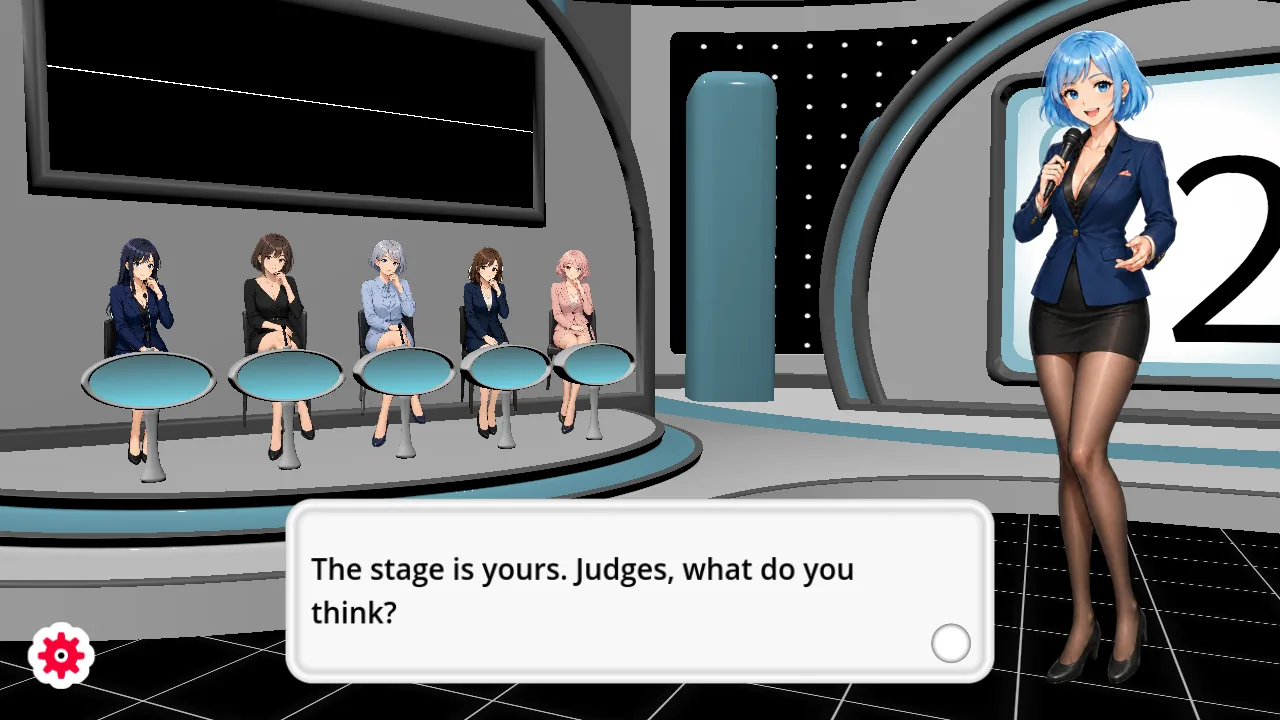
The complete game opens here after you click.
The complete game is free to play here. There is no APK and no installer. Play it on this page, on a phone or a computer. Allow microphone access when the game asks so you can record your lines.
Start Here
Everything you need
Play Free Online
Open the complete game in your browser and start playing.
OpenHow to Play
Learn the line-by-line recording loop and the main controls.
OpenVoice Packs
Prepare audio you can use and load it from the Custom menu.
OpenMic Help
Fix browser permission, input, waveform, and recording issues.
OpenPlayer Guides
Browse allguides
How to Play The Choicer Voicer in Your Browser
Open the free web version in a browser on a phone or computer. There is no APK or app store page. Allow the microphone, finish the tutorial, then pick a mode.
guides
Freestyle: Repeat One Clip Until the Take Works
Loop a single prompt, record as many takes as you want, then save and replay the version you want to keep in the browser game.
guides
Choicer Voicer Judges and a Zero
Judges can disagree on one take. A zero still counts, pulls the session down, and you retry that line instead of restarting the whole round.
guides
Choicer Voicer Best Mic Settings
Match distance to gain, then test and listen. Too close or max gain clips; too far needs more gain. Change input mid-session and retest after a swap.
guides
Standard Mode: Imitate a Prompt and Face the Judges
Take a spoken prompt, answer with your own voice, watch the judges react, and retry a line without restarting the browser game.
packs
Choicer Voicer Tutorial Pack vs Custom Packs
Stay with the built-in Tutorial Pack on Standard for the first session. Freestyle Custom starts empty until you add your own files.
Explore the Game
A quick path from opening the game to saving your first performance.
How to Play
Open the game online and follow its line-by-line recording flow.
Play online
The complete game runs directly in your browser
Dub Mode
Hear a line, record your version, then keep or retry it
Shared play
Take turns around one microphone with up to four players
View all
Voice Packs
Use audio that you created or have permission to use.
- 1
Collect audio clips that you have the right to use
- 2
Keep one voice pack together
- 3
Load the pack from Custom when your browser offers the picker
- 4
Record each prompt and replay the completed take
View all
Mic Help
Check browser permission and the selected input before recording.
Allow microphone access
The game needs permission before it can hear you
No waveform
Check the browser input and reconnect the microphone
A line went silent
Replay that prompt and record it again
View all
Characters
Mira hosts the show and guides you between recordings.
Mira
The confident blue-haired host of the browser edition
View all
Ready for your first take?
Play the complete game online for free. No account is required.